
Translate InDesign projects automatically
Turn one InDesign master layout into every language you need, with the text re-fit automatically — by hand in the browser, or by API for real automation.
The problem
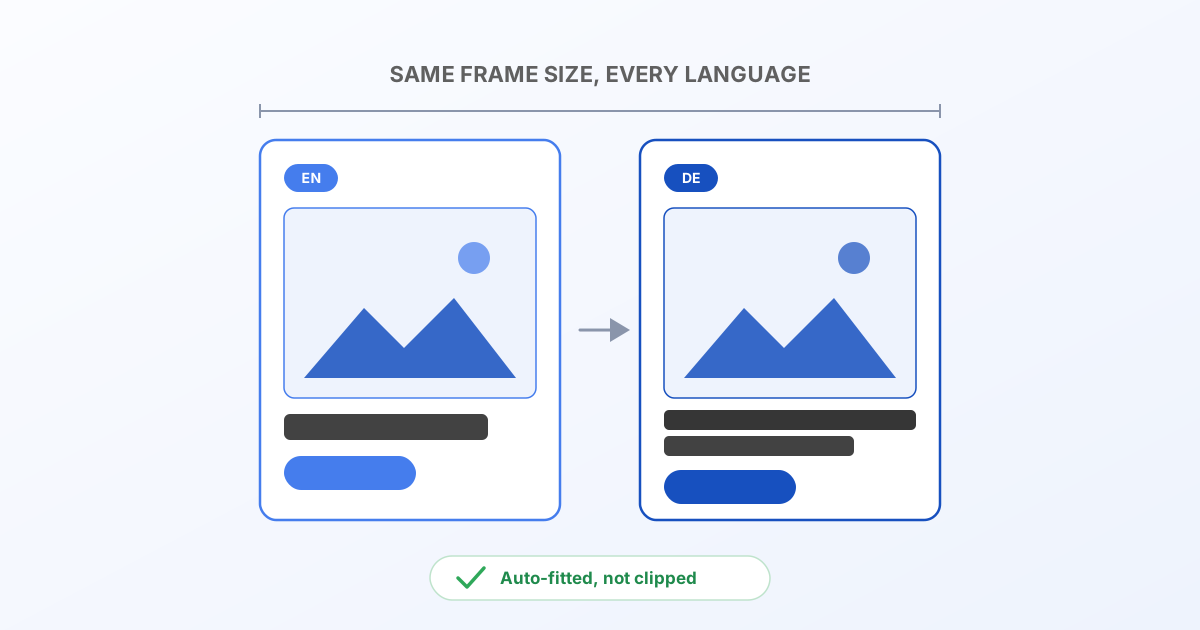
You design a flyer, a social post, or a data sheet once, in InDesign. Then someone asks for the German version. Then French. Then Polish. German runs roughly 30% longer than English; Polish and French aren't far behind; Chinese often runs shorter. Every one of those languages either overflows the text frame or leaves an awkward gap — because the layout was only ever tuned for the source language.
The usual fixes are manual: a DTP agency rebuilds each language by hand, or someone eyeballs font sizes in InDesign for every locale, every time the copy changes. Neither scales past a handful of languages or a handful of updates.
Bluepic's IDML renderer takes a different approach: export your file as IDML (File → Export → InDesign Markup), hand it to Bluepic, and swap the text per language. The layout engine re-fits every text frame to the size it was actually designed for — automatically, for each language, every time.
Option 1 — do it by hand, in the browser
The fastest way to see this working is the free converter at developers.bluepic.io/idml. Drop your .idml (or the whole package folder, so linked images and fonts come along):
- Once it's parsed, the Text & overrides card shows every text element on the current page, pre-filled with your source copy.
- Type your translation directly into any row — the preview on the left updates immediately, live, so you can see the frame re-fit in real time.
- Switch pages with the picker in the card header if your document has more than one.
- Download the page as PNG, JPEG, SVG or
.bluepic, or hit PDF (all pages) once every page looks right.
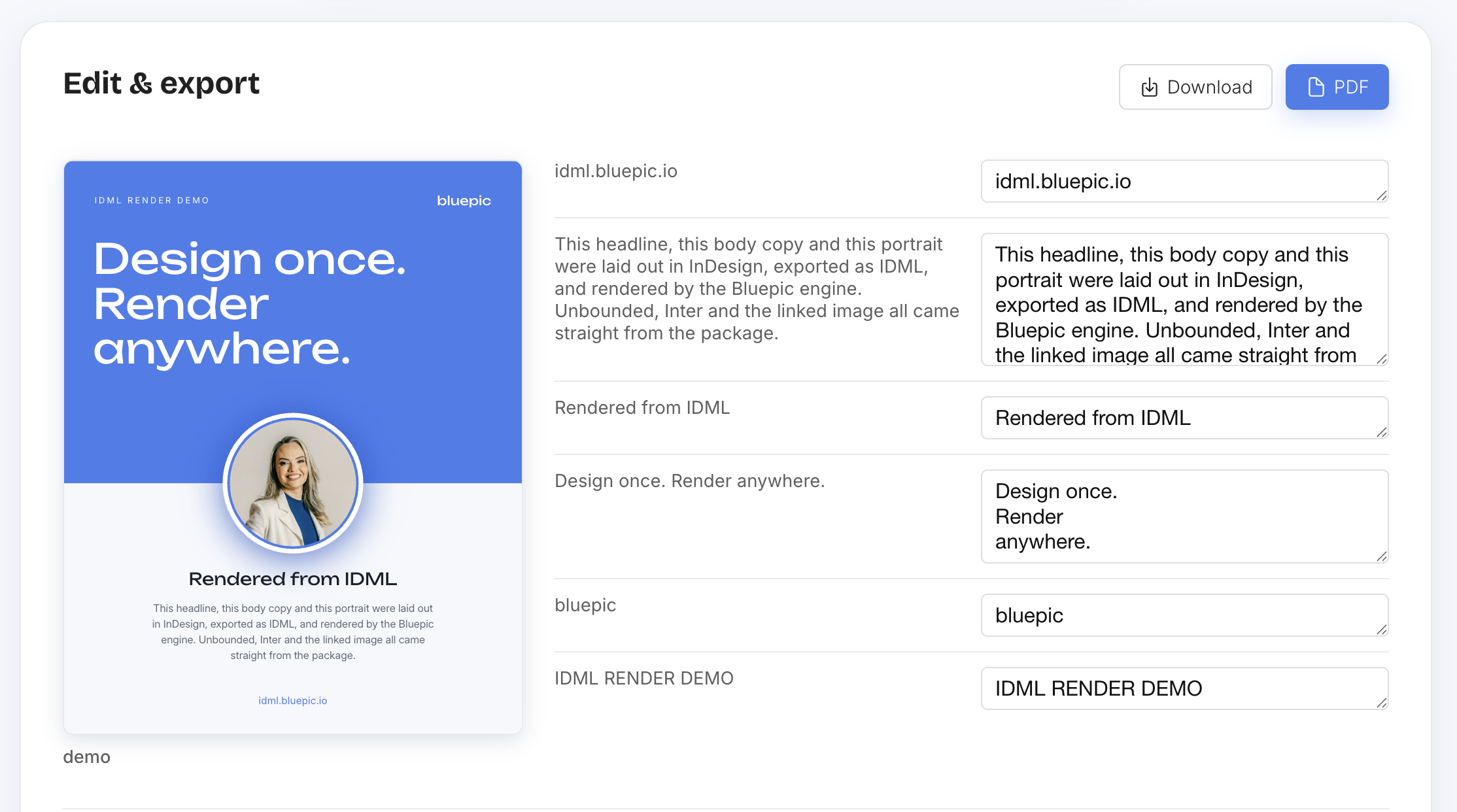
This is genuinely useful for a one-off translation, or for proving the concept before you wire up automation. But if you're translating the same document into eight languages every month, you want the API.
Option 2 — automate it via the API
The render API takes the exact same idea and makes it scriptable. One call:
POST https://api.bluepic.io/api/idml/render
Authorization: <your API key>            (no "Bearer " prefix)
Content-Type: multipart/form-data

[email protected]
[email protected]
[email protected]
That alone reproduces the source document. To translate it, add one field: textOverrides — a JSON object mapping each text element to its translated value:
textOverrides={"0:TextFrame_a1b2c3":"Willkommen in Berlin","1:TextFrame_d4e5f6":"Jetzt entdecken"}
Keys are "<pageIndex>:<elementId>" (0-based page index, matching the pages you're rendering). Any element you don't mention keeps its source text — so a partial translation is a valid request, not an error.
Where the keys come from
You don't hand-derive those element IDs. Load the same document into the interactive API playground, tick "Override texts with custom values", and it lists every text element on every page with an empty input next to each one. Type anything into a row and watch the generated curl command update live with the exact textOverrides JSON — copy that shape once, and you have the keys for every future request against that document.
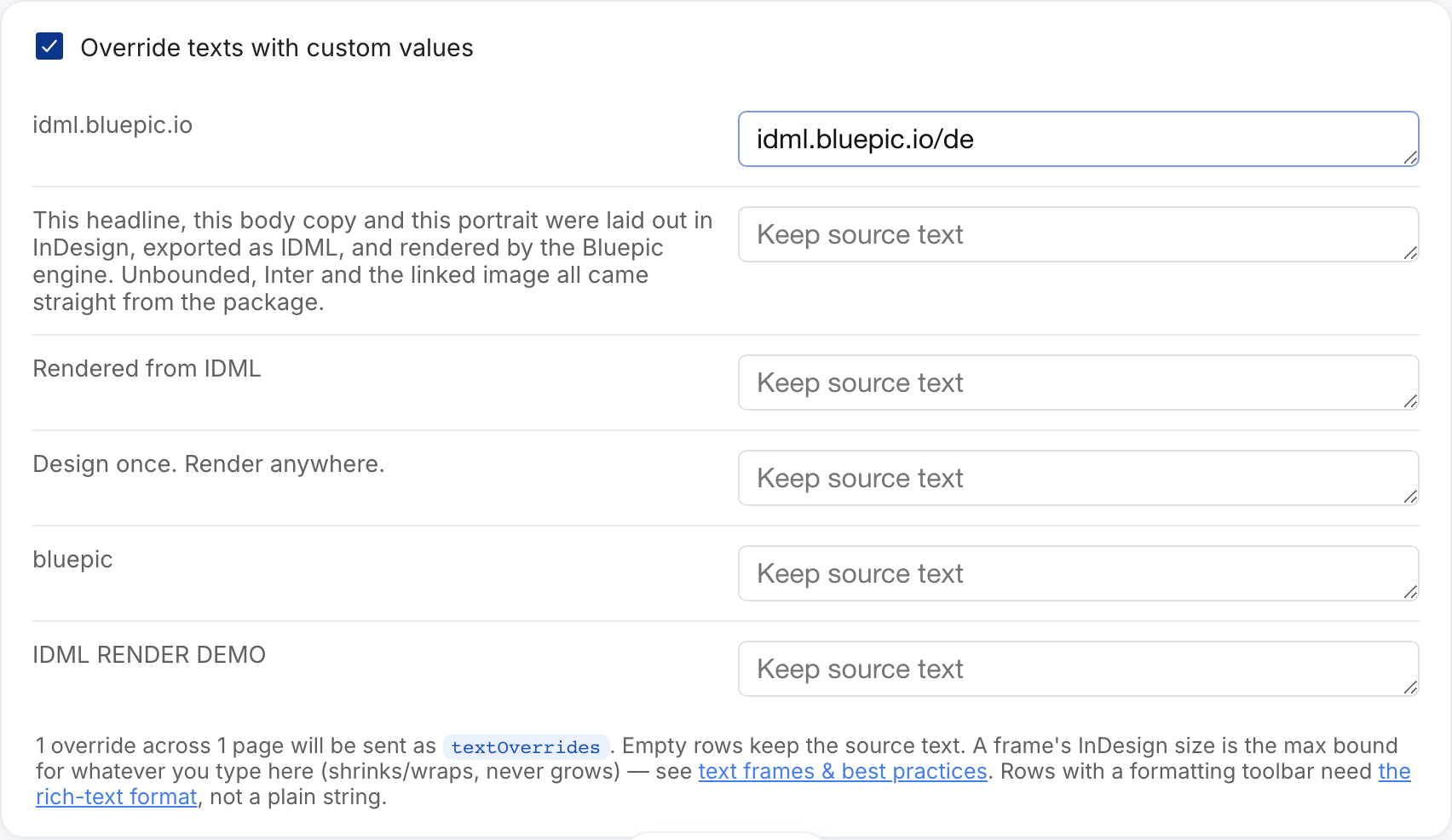
Two things worth knowing before you build a translation matrix on top of those keys: the frame's size in InDesign is the hard ceiling German/Polish/French get shrunk to fit inside (not just a starting point), and one InDesign text frame doesn't always map to exactly one key — see Text frames, bounds & best practices for both. If a row shows a formatting toolbar instead of a plain box, that element is rich text and needs the array shape from Rich text format for overrides rather than a plain string.
From there, automating a language is just: keep the keys, swap the values.
// One render per language, same keys, translated values.
const translations = {
  de: { '0:TextFrame_a1b2c3': 'Willkommen in Berlin', '1:TextFrame_d4e5f6': 'Jetzt entdecken' },
  fr: { '0:TextFrame_a1b2c3': 'Bienvenue à Berlin', '1:TextFrame_d4e5f6': 'Découvrir maintenant' },
};

for (const [lang, textOverrides] of Object.entries(translations)) {
  const form = new FormData();
  form.append('idml', idmlFile);
  form.append('assets', heroImage, 'hero.jpg');
  form.append('assets', interFont, 'Inter.ttf');

  const res = await fetch(
    `https://api.bluepic.io/api/idml/render?format=pdf&textOverrides=${encodeURIComponent(JSON.stringify(textOverrides))}`,
    { method: 'POST', headers: { Authorization: apiKey }, body: form },
  );
  const pdf = await res.blob();
  // save `pdf` as `brochure-${lang}.pdf`
}
Pull the translations object from wherever your copy already lives — a spreadsheet, a CMS, a translation-memory export, or a machine-translation API you run once and review. Bluepic's job is the layout, not the translation itself; feed it whatever text you trust.
Credits
Every account gets 100 free credits a month — 1 credit per rendered page, regardless of how many text overrides you send. Six pages in five languages is 30 rendered outputs, i.e. 30 credits. Check your balance any time on the account page.
What "auto-fit" actually means
There's an honest caveat here worth stating plainly: there's no such thing as the "correct" InDesign rendering of your German copy — nobody ever laid that version out by hand. What Bluepic's engine does is re-run the same fit/shrink logic InDesign itself uses for auto-sizing text, against the real translated string, using real font metrics. It's layout-faithful to the ORIGINAL design's intent, not a pixel-for-pixel guess at what a human designer would have done differently for a 30%-longer string. For most marketing collateral — flyers, social posts, data sheets — that's exactly what you want: the master layout, honored, in every language.
Next steps
- Try the interactive playground and get your API key (issued automatically on first use).
- Read the full API reference for every render option (
format,pages,dpi,engine,width/height). - See Automate InDesign projects for the same API used beyond translation — batch variants, dynamic fields, personalization.
- Text frames, bounds & best practices and Rich text format for overrides — the two things worth knowing before you scale this to a real translation matrix.