
Automate InDesign projects
Turn a single InDesign layout into a rendering pipeline — batch outputs, dynamic fields, and PDF/PNG/JPEG/SVG generation with no InDesign install anywhere.
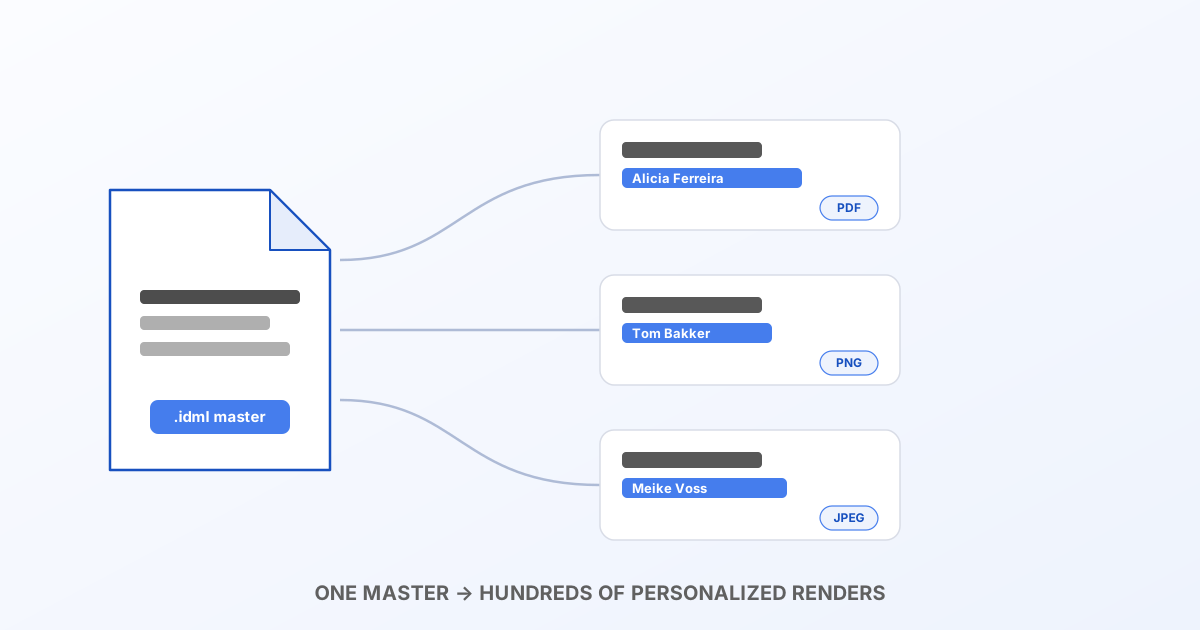
The problem
InDesign is a design tool, not a rendering server. The moment you need to generate a hundred name badges, a thousand certificates, or a weekly batch of social posts from one master layout, you're stuck: either someone opens InDesign and does it by hand, or you buy and run InDesign Server — a license, a machine, and an operations burden, just to turn a template into pixels.
Bluepic's IDML renderer is a plain HTTP API that does exactly that one job: take an InDesign file (exported as IDML) and a set of field values, and hand back rendered output. No InDesign install, no server to maintain, no license — a POST request from wherever your automation already lives (a cron job, a serverless function, a CI pipeline, your app's backend).
The building blocks
1. Export once. Design your master in InDesign, File → Export → InDesign Markup (IDML). This is your template — the thing you POST every time.
2. Render it.
POST https://api.bluepic.io/api/idml/render
Authorization: <your API key>
Content-Type: multipart/form-data

[email protected]
[email protected]
[email protected]
Every asset the IDML links to (images, fonts) goes in a repeated assets field, matched back to the document by filename — so name each part after what the IDML actually links (hero.jpg, not hero-final-v2.jpg). Anything you leave out renders as a placeholder rather than failing the request, so partial asset sets are safe to iterate on.
3. Pick your output. Query parameters control the render:
| Param | What it does |
|---|---|
format | png, jpeg, pdf or svg |
pages | all, or a 1-based list like 1,3,5 |
engine | puppeteer (full fidelity — the default) or resvg (faster PNG/JPEG, no Chromium) |
dpi | Output resolution for raster and PDF, default 300 |
width / height | Override the rendered size in px |
Multiple pages come back as a single merged PDF (for format=pdf) or a zip with one file per page (PNG/JPEG/SVG) — one request, one response, no follow-up polling.
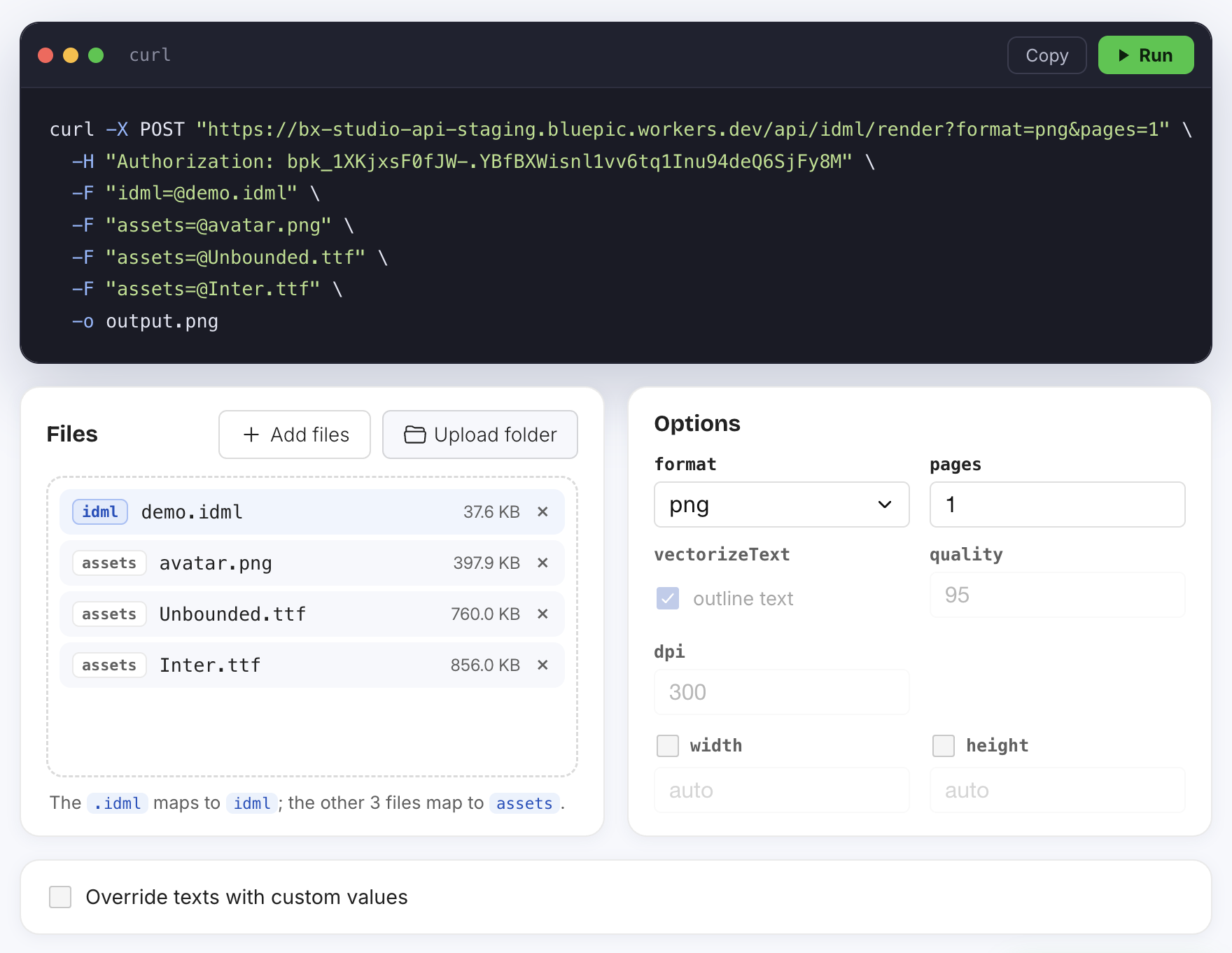
4. Fill in the dynamic fields. This is what turns a converter into automation: textOverrides, a JSON object of {"<pageIndex>:<elementId>": "value"} pairs. Any text element you name gets replaced; anything you don't name keeps its source value. The interactive playground generates this JSON for you — load your IDML once, type into the fields you want to control, and copy the live-updating curl command as your starting point.
One field you'll almost always vary this way is a name — and names vary a lot in length. The text frame's size in InDesign is the hard ceiling any override gets fit inside (it shrinks or wraps, it never grows the frame), so size name/value fields generously for your longest real record, not just your test data. Full detail in Text frames, bounds & best practices. If a field has mixed formatting inside it, its override needs the array shape from Rich text format for overrides instead of a plain string.
A concrete pipeline: personalized certificates
const attendees = await getAttendeesFromYourDatabase(); // [{ name, date, score }, ...]

for (const attendee of attendees) {
  const textOverrides = {
    '0:TextFrame_name': attendee.name,
    '0:TextFrame_date': attendee.date,
    '0:TextFrame_score': `${attendee.score}%`,
  };

  const form = new FormData();
  form.append('idml', certificateIdml);
  form.append('assets', sealImage, 'seal.png');

  const res = await fetch(
    `https://api.bluepic.io/api/idml/render?format=pdf&textOverrides=${encodeURIComponent(JSON.stringify(textOverrides))}`,
    { method: 'POST', headers: { Authorization: apiKey }, body: form },
  );

  await saveFile(`certificate-${attendee.name}.pdf`, await res.blob());
}
Same shape works for event badges, invoice-style documents, personalized social graphics, or a weekly report that only changes three numbers — anywhere you'd otherwise open InDesign, change some text, and export by hand.
engine: fidelity vs. throughput
For a handful of renders, the default puppeteer engine (a real, full layout engine — the same technology behind the free converter) is the right call: full fidelity, every feature. For a large batch of simple PNG/JPEG exports where you're rendering hundreds or thousands of variants, engine=resvg skips the Chromium instance entirely and renders faster — worth benchmarking against your own document before committing to it for a production batch job.
Credits
Every account gets 100 free credits a month — 1 credit per rendered page, regardless of format or how many textOverrides you send. A 500-badge batch job is 500 credits; check usage and get in touch for higher volume from the account page.
Next steps
- Get your API key and try the playground against your own IDML.
- Read the full API reference for every parameter.
- If your automation is specifically about shipping the same layout in multiple languages, see Translate InDesign projects automatically — same API, same
textOverridesmechanism. - Text frames, bounds & best practices and Rich text format for overrides — worth reading before your first production batch.