
API reference
Every endpoint in the Bluepic developer API — authentication, rendering a Studio template, rendering a raw IDML file, checking your credit balance, and the errors you'll actually hit.
Base URL
https://api.bluepic.io
Every path below is relative to that. There's no staging/sandbox host — the same API key works everywhere, and the free monthly credits (see Credits) are the only thing separating experimentation from production traffic.
Authentication
There are two different credentials in play, and mixing them up is the most common integration mistake:
| Used for | Header | |
|---|---|---|
| API key | POST /api/render, POST /api/idml/render — the endpoints your backend calls | Authorization: <key> — no Bearer prefix |
| Studio session token | /api/api-keys, GET /api/idml/me — managing keys and checking balance from your own account | Authorization: Bearer <token> |
For almost every integration, you only need the first row. Grab your key once from the account page — it's created for you on first visit — and treat it like any other server-side secret: never ship it to a browser or mobile client.
POST https://api.bluepic.io/api/render
Authorization: bpk_xxxxxxxxxxxx.xxxxxxxxxxxxxxxxxxxxxxxxxxxxxxxx
A key that starts with Bearer is rejected — that prefix is reserved for the session-token routes above, which authenticate you, not your backend.
Render a Studio template
POST /api/render
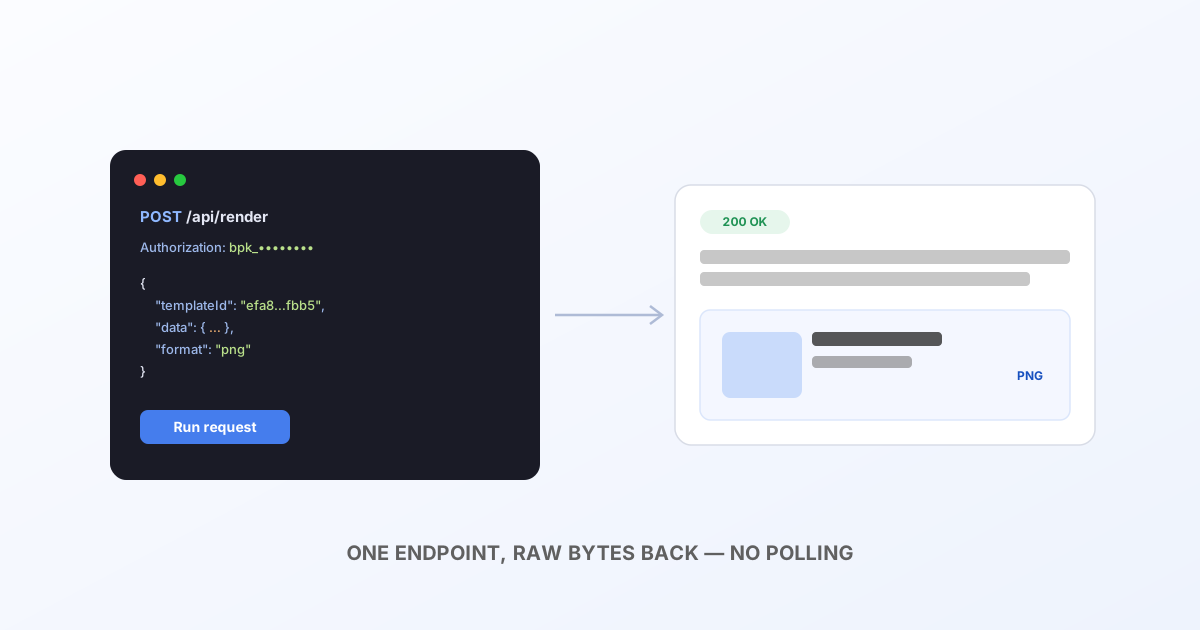
This is the endpoint for templates you built visually in Bluepic Studio. You send the template's ID and the field values to fill in; Bluepic renders it server-side and hands back the image.
{
  "templateId": "efa8ff2c-262b-4488-b8cf-e01521c6fbb5",
  "data": {
    "headline_text_content": "Ship it Friday",
    "avatar_image": { "src": "https://cdn.example.com/avatar.jpg" }
  },
  "format": "png"
}
| Field | Type | Default | Notes |
|---|---|---|---|
templateId | string | — required | The UUID from the template's editor URL. Must belong to your account. |
data | object | {} | Keys are the input-field names you defined in Studio. Anything you omit keeps its design-time default. |
format | png | jpeg | pdf | svg | webp | gif | png | |
engine | puppeteer | resvg | puppeteer | See engine trade-offs — same choice applies here. |
width / height | number | template size | Override the rendered pixel size. |
dpi / quality | number | — | Resolution and compression, where the format supports them. |
Response is the rendered file's raw bytes with a matching Content-Type — no wrapper JSON, no polling. Fetch it, save it, or pipe it straight into an <img> or email attachment.
const res = await fetch('https://api.bluepic.io/api/render', {
  method: 'POST',
  headers: { Authorization: apiKey, 'Content-Type': 'application/json' },
  body: JSON.stringify({
    templateId: 'efa8ff2c-262b-4488-b8cf-e01521c6fbb5',
    data: { headline_text_content: 'Ship it Friday' },
  }),
});
const png = await res.blob();
Render a raw IDML file
POST /api/idml/render
Content-Type: multipart/form-data
Use this when your source of truth is an InDesign file rather than a Studio template — no upload step, no template to manage, just the .idml export and whatever assets it links to, on every request.
[email protected]
[email protected]
[email protected]
Assets are matched back to the document by filename. Options go as query params:
| Param | What it does |
|---|---|
format | png, jpeg, pdf or svg |
pages | all, or a 1-based list like 1,3,5 |
engine | puppeteer (default, full fidelity) or resvg (faster raster, no Chromium) |
dpi / quality | Output resolution / compression |
textOverrides | JSON {"<pageIndex>:<elementId>": "value"} — see Automate InDesign projects for the full walkthrough |
Multiple pages come back as one merged PDF (format=pdf) or a zip (everything else) — same one-request, one-response shape as the Studio endpoint. Full detail, including a complete pipeline example, is in Automate InDesign projects.
Check your balance
GET /api/idml/me
Authorization: Bearer <studio session token>
{
  "plan": "free",
  "monthlyCredits": 100,
  "period": "2026-07",
  "used": 34,
  "remaining": 66,
  "resetsAt": "2026-08-01T00:00:00.000Z",
  "upgradeUrl": "https://bluepic.io/pricing"
}
This one uses your session token, not your API key — it's meant for your own dashboard or a build script running as you, not for a server checking on behalf of end users. Despite the /idml/ in the path, it covers both render endpoints — 1 credit is 1 rendered page, regardless of which one produced it.
Credits
Every account gets 100 free credits a month, shared across /api/render and /api/idml/render. A render that produces multiple pages costs one credit per page. Once you're out, both endpoints return 402 until the next monthly reset (see resetsAt above) or an upgrade.
Errors
| Status | Meaning |
|---|---|
400 | Malformed request — check the field against the tables above. |
401 | Missing or invalid Authorization header. |
402 | Out of credits this period. Body includes upgradeUrl. |
404 | templateId doesn't exist, or isn't owned by your account. |
500 | Render failed server-side. Body includes details — worth attaching to a support request. |
Next steps
- Build a template visually in Bluepic Studio, then drive it with
/api/render. - Automate InDesign projects for the full
/api/idml/renderwalkthrough, including a batch-pipeline example. - Try requests live, with your own key, in the interactive playground.